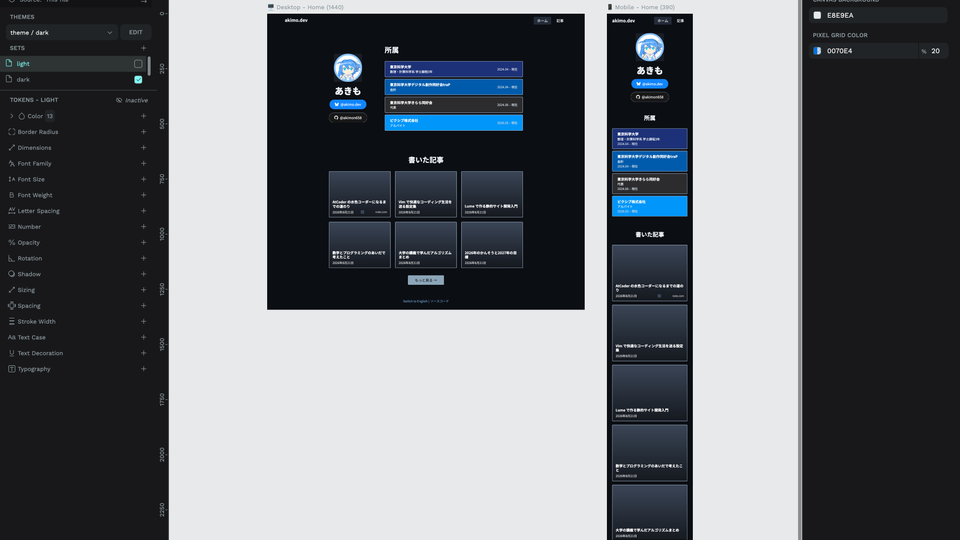
Intro
I originally designed this site myself in Figma, but it always felt too plain, so I kept wanting to redo it.
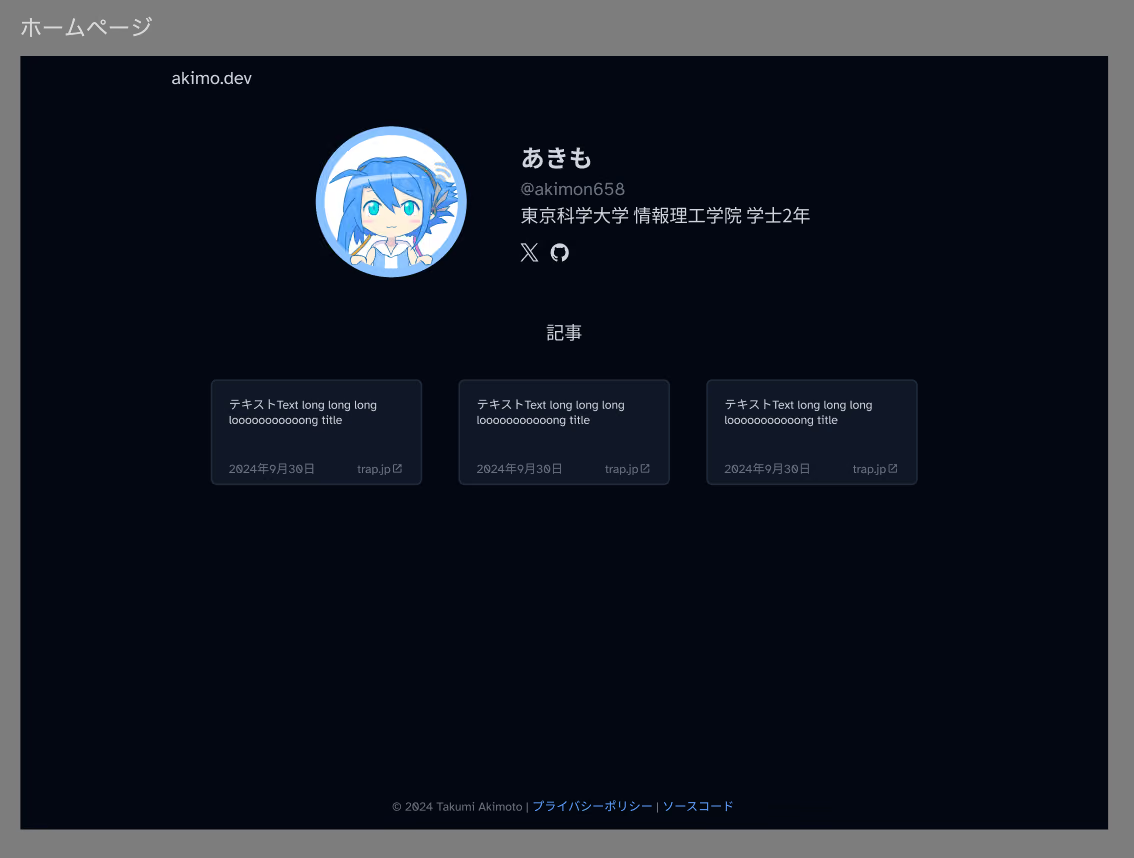
But I let AI write almost all of my code these days, so designing everything by hand felt like a chore. Since I’ve gotten pretty comfortable with vibe coding, I decided to try vibe design.
Why not just have it write the code directly?
Sure, having it write code directly is faster in the short term than driving a design tool through MCP. But in the long run, changing the implementation can accidentally change the visuals too, so I wanted to keep the design managed separately.
Using Penpot
I first tried the official Figma MCP, but for some reason Figma restricts which clients can use it1, a policy I find pretty questionable. In practice the major clients are supported, so it’s probably fine… but then what’s the point of having an open protocol?
So I switched to Penpot instead.
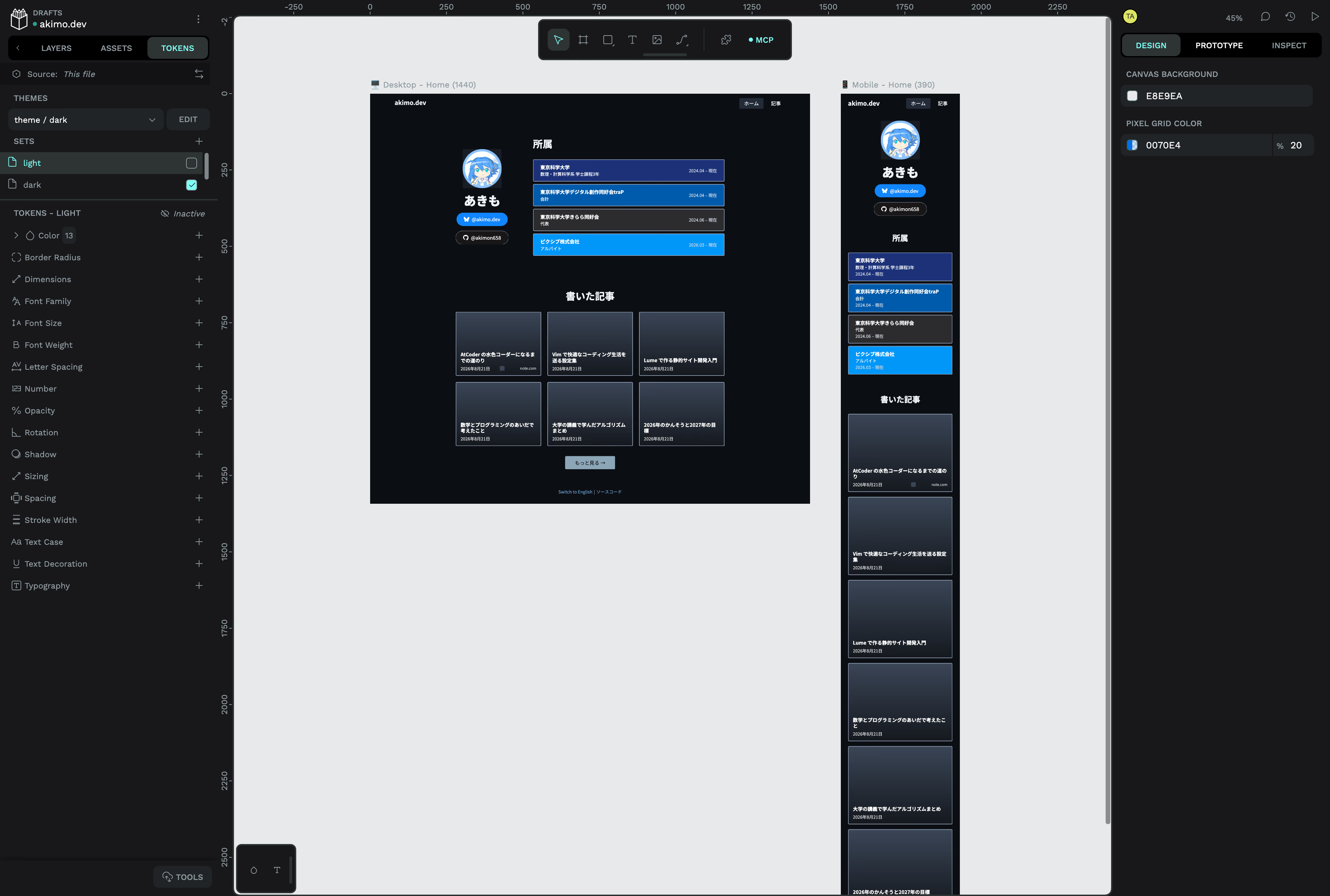
There are other Figma alternatives like OpenPencil2, but I haven’t compared them properly. I picked Penpot more or less on a whim. So far Penpot doesn’t seem to have any particular restrictions around MCP, and while it has no branching, it does have version history, so it gets along reasonably well with agents. I have no idea how far it can rival Figma feature-wise, but for designing static pages it was plenty.
What I did
After setting up MCP, I gave it a rough idea and had it turn that into a design. Once you get a first draft, you notice an endless stream of “no, not like that” points, so I just kept pointing those out and aligning it with the image in my head until it gradually got decent.
Left alone it produces an incoherent design, so getting it to reuse things is key. It will happily mix 16px and 14px fonts for no reason, or recreate the same part over and over, so I had it create tokens and components and use those.
Thoughts
Since I didn’t have to do the work myself, it was easy to redo things and try out lots of variations, which was nice.
The feeling while working wasn’t much different from vibe coding. Even though Penpot can define tokens and components, unless you explicitly tell it to use them, it just naively builds whatever is right in front of it. It’s probably the same impulse as reimplementing everything from scratch when writing code. Once the file uses tokens and components to some extent, it follows along, so the human’s job is to set things up so the AI’s work doesn’t fall apart.
On the other hand, I think a big difference from vibe coding is that while programs can be verified mechanically to some extent, design is for humans, so only humans can judge what’s good.
Conclusion
As expected, using AI doesn’t let you produce something beyond your own abilities. As you have it fix the parts that feel off until they feel right, it eventually converges to a design you could have made yourself. And indeed, this redesigned site is still fairly plain.
In the end, whether you can create great design with vibe design comes down to whether the human can navigate the AI well, so I realized I should actually study design properly.
Footnotes
-
When I googled it to add a link, I found at least two different products named OpenPencil, which is terrifying. And they have 7k and 9.6k stars, basically the same… Can we please stop the trend of slapping “Open” on every name? ↩